
NotaryAct — Electronic Notary Journal App for iPhone, Android & Web
The Journal That Keeps
You Legally Covered
NotaryAct replaces your paper journal with a tamper-proof electronic record — state-configured, cloud-backed, and ready for every notarization from simple jurats to California deeds requiring a thumbprint.
See It In Action
From blank form to saved entry in under 60 seconds.
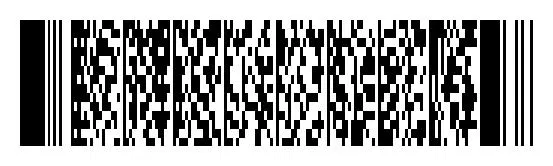
Scan the license barcode, fields fill instantly. Capture a thumbprint for California deeds. Confirm location. Done — entry saved, encrypted, and cloud-backed.
- ✓ Barcode scan auto-fills signer name, address & ID
- ✓ Bluetooth fingerprint scanner for CA deeds & POAs
- ✓ GPS location auto-detected on every entry
- ✓ Searchable journal — find any entry in seconds

How It Works
Three steps. Every signing covered.
NotaryAct captures every required field in seconds — no writing, no typing, no missing entries.
California Notaries — GC § 8206
Bluetooth Fingerprint Scanner Support
California law requires a thumbprint in the journal for every deed, quitclaim, deed of trust, and power of attorney. NotaryAct captures it digitally — no ink pad, no smudging, no faded prints a decade later.
Pair the SecuGen Unity 20 Bluetooth wirelessly with your iPhone, iPad, or Android. The scan goes directly into the journal entry as an encrypted digital record — permanent, tamper-evident, and producible for any inspection.
Camera photo capture
Use the NotaryAct camera to photograph the thumbprint directly into the entry. Works on any iPhone or Android — no accessories needed. Best for mobile signings and field work.
Bluetooth scanner — new
Pair the SecuGen Unity 20 Bluetooth (EA4-1006BLE) — FBI-certified, pocket-sized, rechargeable. Captures a high-resolution scan wirelessly into the journal entry. Ideal for office signings and high-volume loan agents.
Both methods store the print as an encrypted digital record attached to the journal entry — retrievable, exportable, and legally defensible under GC § 8206. Full California compliance details →
Why Electronic Beats Paper
Paper journals can’t do this.
Common Questions
Frequently asked questions
Is NotaryAct accepted in California?
Yes. NotaryAct is accepted as an electronic notary journal replacement in California. It supports thumbprint capture for deeds, quitclaims, deeds of trust, and powers of attorney as required under California Government Code § 8206, via Bluetooth fingerprint scanner or camera photo capture.
Does NotaryAct support a Bluetooth fingerprint scanner?
Yes. NotaryAct supports the SecuGen Unity 20 Bluetooth (model EA4-1006BLE), which pairs wirelessly with iPhone, iPad, or Android. The fingerprint scan is captured directly into the journal entry as an encrypted digital record, satisfying California’s GC § 8206 thumbprint requirement.
What states does NotaryAct work in?
NotaryAct is accepted in 45+ states as an electronic notary journal. It is state-configured for all 51 jurisdictions, automatically setting the correct required fields, retention periods, and fingerprint prompts based on your state’s law. See all 50 states →
How does NotaryAct auto-fill signer information?
NotaryAct scans the barcode on the back of the signer’s driver’s license using your phone’s camera. The signer’s name, address, date of birth, ID number, and expiration date are populated automatically in seconds — no typing required.
Does NotaryAct work offline?
Yes. NotaryAct has an offline mode that lets you create journal entries without an internet connection. Entries sync automatically to the encrypted cloud when your connection is restored.
How long does NotaryAct store notary journal records?
NotaryAct stores journal records beyond the 10-year retention period required in California, Texas, Florida, and most other states. Records are encrypted at rest and in transit using AES-256 encryption and are accessible from any browser at any time.
State Compliance
State-configured for all 51 jurisdictions.
NotaryAct automatically sets the correct required fields, retention rules, and fingerprint prompts based on your state. California notaries get thumbprint capture. Illinois notaries don’t — because Illinois law prohibits it. No manual setup required.
Ready to replace your paper journal?
30 days free. No credit card. Cancel any time. Used by 25,000+ notaries since 2013.
NotaryAct is an electronic notary journal accepted in 45+ states. Fingerprint/thumbprint capture is supported where state law permits and required where state law mandates it (California GC § 8206). Illinois, Pennsylvania, Texas, and North Carolina prohibit fingerprint collection in the notary journal — NotaryAct is configured accordingly. Not legal advice — consult your state commissioning authority for current requirements.


Privacy Policy | Terms of Use
10 East 40th Street, 46th Floor
New York, NY 10016
(800) 566-9769